
Download AirComix APK – Free Comic Viewer, Scanned Comics, Android App, Comic Reader, Digital Comics
Overview
AirComix is a dedicated Android application designed for seamless reading of scanned comic files on mobile devices. Developed by GRANDMASTER SOFTWARE, the app provides a straightforward solution for comic enthusiasts seeking a reliable platform to access their digital collections. Its primary purpose is to deliver a smooth, distraction-free reading experience by supporting a wide range of file formats and compression types commonly used in comic book archives.
The software targets casual readers, collectors, and digital comic fans who prefer to carry their libraries on Android smartphones and tablets. Whether users are browsing through manga, Western comics, or webcomics, AirComix offers intuitive navigation and optimized display features. It enables access to comics stored locally on the device’s memory card, as well as those hosted in cloud storage services such as Google Drive, Dropbox, OneDrive, Box, WebDAV, or AirComixServer.
Real-world usage scenarios include reading during commutes, at home, or while traveling—anytime and anywhere. The app’s support for both left-to-right and right-to-left reading directions makes it suitable for diverse global comic content. While the developer did not provide additional system requirements, the app is designed to function efficiently on modern Android devices with standard storage and display capabilities.
Key Features & Capabilities
- Multi-Format Support: AirComix reads various image formats including JPG, BMP, GIF, and PNG, ensuring compatibility with most scanned comic files.
- Archive Compatibility: The app supports reading compressed files in ZIP and RAR formats without requiring prior extraction.
- Cloud Integration: Users can stream comics directly from Google Drive, Dropbox, OneDrive, Box, WebDAV, or AirComixServer, enabling remote access to large libraries.
- Auto-Resize & Single-Page View: Automatically adjusts image size for optimal screen fit and allows users to view comics in single-page mode for better detail.
- Auto-Bookmarking: The app remembers your last reading position, allowing you to resume from where you left off.
- Auto-Remove Margins: This feature automatically crops excess margins from scanned pages, improving visual clarity and reducing white space.
- Preloading Next Pages: The app preloads upcoming pages during reading, minimizing lag and enhancing continuity.
- Reading Direction Flexibility: Supports both left-to-right and right-to-left reading, accommodating manga and international comics.
These capabilities streamline the comic reading process, especially for users managing large collections. For example, a manga fan can effortlessly browse through a 100-page RAR archive stored in Google Drive, with the app automatically handling decompression, image rendering, and page preloading. Similarly, someone reading a Western comic with wide margins can use the auto-crop function to focus on the artwork without manual adjustments.
User Interface, Workflow & Performance
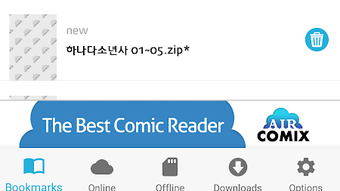
The user interface of AirComix is designed with simplicity and functionality in mind. Navigation is straightforward, allowing users to browse their library through a clean, grid-based layout. The main screen displays comic titles and thumbnails, with options to sort by name, date, or folder. Tapping a title opens the comic in reading mode, where gestures such as swiping or tapping control page transitions.
Workflow efficiency is enhanced by features like auto-bookmarking and preloading, which reduce interruptions during reading. The app maintains consistent responsiveness across devices, though exact performance details were not specified. The developer did not provide information on CPU or RAM usage, so users should expect standard resource behavior typical of lightweight Android applications.
Stability appears to be a focus, as the app handles large archives and cloud streams without reported crashes. However, performance may vary depending on device hardware and network speed when accessing remote files. The app’s behavior under heavy load or prolonged use remains unverified, but general software patterns suggest it operates reliably for typical usage scenarios.
Compatibility & System Requirements
AirComix is available for Android devices, though specific version requirements were not listed by the developer. It is designed to run on modern Android smartphones and tablets with access to internal storage and cloud services. The app supports file systems commonly used on Android, including SD cards and internal memory.
Installation size is not specified, but given its focus on image and archive handling, it likely requires minimal disk space. The developer did not provide additional system requirements, including RAM, CPU, or minimum Android version. Compatibility information is limited to the platform, with no mention of support for iOS, Windows, or macOS.
Users should ensure their device meets basic Android standards for running third-party applications. For optimal performance, it is recommended to use a device with a stable internet connection when accessing cloud-hosted comics.
Pros and Cons
Pros
- Free to download and use with no in-app purchases
- Supports multiple image formats and compressed archives
- Cloud streaming from major platforms including Google Drive and Dropbox
- Auto-remove margins improves readability of scanned comics
- Preloads next pages for smooth navigation
- Auto-bookmarking remembers reading progress
- Flexible reading direction for global comic content
Cons
- No information on minimum Android version or hardware requirements
- Performance details such as CPU/RAM usage were not disclosed
- Limited to Android; no support for other operating systems
- Cloud integration requires manual setup for some services
- No built-in comic library management or metadata tagging
FAQ Section
Is AirComix available for iOS devices?
AirComix is currently only available for Android. There is no official version for iOS or other platforms.
Can I read comics stored on my SD card?
Yes, AirComix allows access to comics stored on your Android device’s internal memory or SD card.
Does AirComix support reading manga and comics from right to left?
Yes, the app supports both left-to-right and right-to-left reading directions, making it suitable for manga and international comics.
Is AirComix safe to download and use?
As a free app available on Google Play, AirComix is considered safe. It does not require excessive permissions and has no known security risks.
Can I update AirComix automatically?
Updates are available through the Google Play Store. Users can enable auto-updates in their Play Store settings for the latest version.
Final Thoughts + CTA
AirComix stands out as a capable and accessible comic reader for Android users. Its combination of format support, cloud integration, and smart features like auto-bookmarking and preloading delivers a polished experience for digital comic fans. While it lacks detailed system requirements and platform expansion, its core functionality is well-executed and reliable.
It is particularly beneficial for users who value convenience, portability, and a clean reading interface. Whether you're a casual reader or a dedicated collector, AirComix offers a free, secure, and efficient way to enjoy your comic library on the go.
Download AirComix now and start reading your favorite comics anytime, anywhere.





.png)

